What Is SAP Integration? Retailers Turn Disconnected Systems Into One View

What Is SAP Integration? Retailers Turn Disconnected Systems Into One View blog banner

Your stores, website, and finance system all tell different stories. eCommerce shows one number, SAP another, POS a third. Teams fix spreadsheets instead of fixing customer problems. Decisions slow down. Growth stalls.

SAP itself is powerful. But without integration, SAP becomes just another silo. Understanding what is SAP integration—and using it well—is how retailers turn SAP Business One into a true control centre for their business.

What Is SAP Integration?

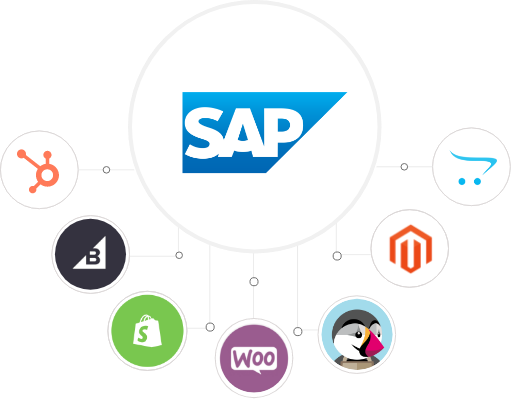
SAP integration connects SAP Business One with the rest of your retail stack—eCommerce, POS, CRM, marketing, and more—so data flows automatically between systems.

When you integrate SAP:

  • Online orders flow into SAP without retyping.

  • Inventory updates stay aligned across channels.

  • Customer data and transactions stay in one history.

  • Finance sees the full picture, not fragments.

Instead of staff doing “swivel chair” work between systems, processes run in the background and teams focus on customers and growth.

Why Does SAP Business One Integration Matter for Retailers?

Siloed systems create three big problems for retail decision-makers:

  • Manual workload explodes – Staff key the same data into SAP, eCommerce, and other tools.

  • No 360° view – You never see full customer or product performance across channels.

  • Slow decisions – You react to monthly reports instead of acting on daily reality.

SAP Business One integration removes those roadblocks by turning your systems into one connected environment.

How Does SAP Integration Improve Data Flow and Customer Experience?

How does SAP integration let you customise data flow?

Data is your most important asset. SAP integration lets you decide what moves between systems, how, and when.

You can:

  • Choose which fields sync between SAP and other systems.

  • Set unidirectional flows (e.g., SAP → eCommerce pricing) or bidirectional (e.g., inventory updates both ways).

  • Control which modules talk to which channels.

Business outcome: cleaner data, fewer bottlenecks, and less noise in your reports.

How does SAP integration support personalised customer journeys?

When SAP connects to your CRM and marketing systems, customer data becomes usable, not just stored.

You gain:

  • Customer-specific insights (orders, preferences, value)

  • Tailored communication and offers based on real behaviour

  • Campaigns that reflect live pricing and availability

Business outcome: more relevant marketing, higher conversion, and stronger loyalty.

How Does SAP Integration Align Processes with Business Goals?

How does SAP integration support retail innovation?

Retailers constantly change pricing, promotions, channels, and service models. Systems must keep up.

With SAP Business One integration you can:

  • Launch new service standards (e.g., faster fulfillment, better communication).

  • Optimise weak spots in operations using real performance data.

  • Target specific areas—like returns, shipping, or margin—based on facts, not guesses.

Business outcome: you move from “firefighting” to planned innovation, supported by trustworthy data.

How does SAP integration help execute new commercial models?

Example: you want to launch personalised pricing or complex plans. An integrated SAP environment lets you:

  • Define rules in SAP (pricing, discounts, eligibility).

  • Sync them to customer accounts and channels.

  • Trigger marketing and product experiences that match each plan.

Business outcome: new offers roll out faster, with less manual work and less risk of mispricing.

How Does SAP Integration Add Value Across the Retail Business?

How does SAP integration strengthen your retail ecosystem?

Your ability to stand out comes from how well you understand and serve your customers. SAP Business One integration helps you:
  • Plug advanced tools into SAP (analytics, marketing, web, loyalty).

  • Stay visible where customers search and shop.

  • Act on real-time analytics rather than stale reports.

Business outcome: stronger brand perception, smoother experiences, and better decisions at every stage of the funnel.

How does SAP integration improve marketing and sales execution?

With SAP Business One integrated into your marketing stack, you can:

  • Run and track campaigns based on actual purchase data.

  • Use web analytics, chat, segmentation, and personalised offers with accurate back-end numbers.
  • Make customers feel recognised online and in-store.

Business outcome: higher campaign ROI and better customer retention.

What Role Do SAP APIs Play in Integration?

How do SAP APIs make integration easier?

SAP provides APIs that let other systems talk to SAP Business One safely and consistently.

Using SAP APIs, you can:

  • Access orders, items, customers, and more through defined endpoints.
  • Exchange data securely between SAP and third-party tools.
  • Expand or adjust integrations as your needs change.

With a capable integration platform, you do this without having to hand-build every connection from scratch.

What Is Codeless SAP Integration?

How can retailers integrate SAP without heavy IT effort?

You don’t always need developers writing custom scripts. Codeless SAP integration platforms let retail teams control data syncing through configuration, not code.

You can:

  • Connect SAP Business One to other systems module by module.

  • Tick fields you want to sync and choose direction (one-way or two-way).

  • Adjust flows as your processes evolve.

Business outcome: faster projects, lower technical dependency, and integrations that stay aligned with day-to-day operations.

Summary: What Is SAP Integration for Retailers?

SAP integration turns SAP Business One from a powerful but isolated system into the live backbone of your retail operations.

It helps you:

  • Remove manual data entry between SAP and eCommerce, POS, CRM, and marketing.

  • Gain a 360° view of customers, products, and performance across channels.

  • Align processes with growth goals and new commercial models.

  • Use SAP APIs and codeless tools to adapt as your business changes.

FAQ: What Is SAP Integration?

1. Is SAP integration only for large enterprises?

No. SAP Business One is built for small and mid-sized businesses. Integration helps retailers of all sizes reduce manual work and improve visibility.

2. Do I need to integrate every system with SAP at once?

No. Many retailers start with one high-impact flow (e.g., orders and inventory between eCommerce and SAP) and add more integrations over time.

3. Does SAP integration replace my existing eCommerce or POS?

No. SAP remains your core system of record. Integration connects SAP to your existing eCommerce, POS, and other tools so they work together.

4. How does SAP integration help with real-time data?

Well-designed integrations keep key data—orders, inventory, pricing, customers—updated frequently enough to support daily decisions and a smooth customer experience.

5. Can non-technical teams manage SAP integration?

With a codeless integration platform, business and operations teams can configure and adjust many integrations themselves, calling in IT only for more advanced changes.

Ready to turn SAP into the connected backbone of your retail business?

Contact SAAS Integrator →

Leave a Reply

Your email address will not be published. Required fields are marked *